Call of Duty: Black Ops III Custom Map Dubs
Guide for replacing the audio of some Black Ops III Custom Maps with Black Ops II dubs.
Introduction
This project changes the audio of some Black Ops III Custom Maps to use Black Ops II dubs, for versions recreated by the community.
This guide explains how to install the available audio packs.
Information
Available maps
The project is currently compatible with the following maps:
Available languages
- German
- French
- Italian
- Japanese
- Brazilian Portuguese
- Russian
- Spanish
- Latin American Spanish
Downloads
German/French/Italian/Japanese
Download
Brazilian Portuguese/Russian/Spanish/Latin American Spanish
DownloadInstallation
- Download the language and map you want to use.
- You will need a program capable of extracting .7z files.
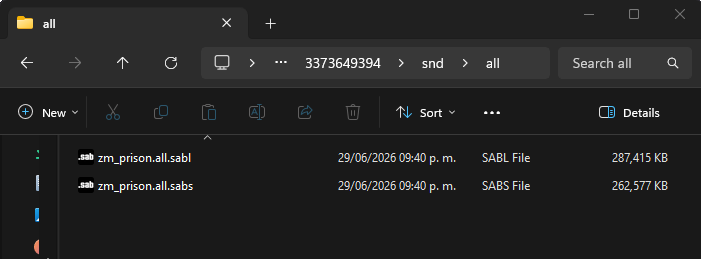
- Locate the game's Workshop folder. For example: C:\Program Files (x86)\Steam\steamapps\workshop\content\311210.
- Inside that folder, find the ID for the map you downloaded. For example: 3373649394 (Mob of the Dead), 3558354570 (Nuketown Zombies), 3435762796 (Die Rise).
- Copy the contents of the downloaded language pack into the map's snd\all folder and replace the files.
Credits
- Artur16211 - Created SabViewer for audio replacement and material collection.
- atuburapaler - Presentation, editing, recording, writing, and organization.
- Xela, dobby, copforthat, Chens, Clix, and others for creating the custom maps.
- Activision, Treyarch, and others own the material used in this project.